Maximizing Productivity: Why Gemini Spark is the Future of AI Agents
The world of digital automation is shifting rapidly today. We are seeing a move toward “agentic AI for the rest of us.” This concept promises tools that actually do real work instead of just talking. Sarah Perez from TechCrunch recently highlighted this shift in her latest tech coverage. At the center of this change is Gemini Spark. This new assistant aims to change how you handle your daily digital chores. Specifically, it acts as a bridge between your ideas and completed tasks. Because it runs on cloud systems, the tool offers unique benefits.
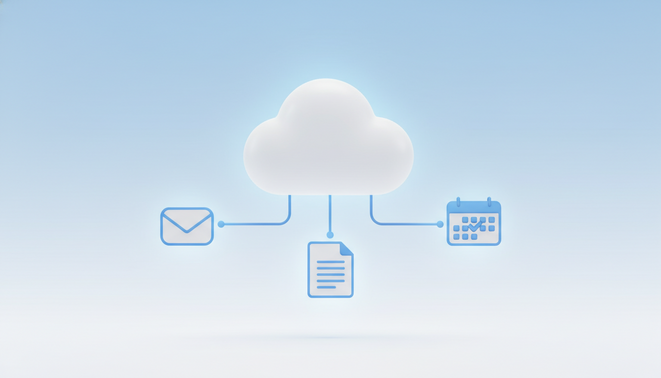
Gemini Spark is not just another simple chatbot for your phone. It functions as a powerful cloud based assistant for every user. Because it runs on virtual machines, it keeps working when you close your laptop. This capability represents a huge leap for personal productivity across the globe. Many users want tools that manage their digital life without constant supervision. As a result, the demand for truly autonomous agents is growing fast. Gemini Spark integrates with Gmail and Calendar to streamline your schedule.
However, the technology is still in its early stages of growth. We must look at these tools with a careful evaluative eye. A consumer first perspective helps us see if the hype matches reality. Furthermore, Google designed this system to bridge the gap between tasks and workflows. Therefore, understanding its potential is vital for anyone in the Google ecosystem. Plus, we need to know how these agents impact our daily routines. Consequently, this article explores the strengths and limits of the platform.
Seamless Workflow: How Gemini Spark Redefines Automation
Gemini Spark brings a new level of efficiency to your daily digital life. This assistant is truly unique because it operates as an always on system. Most tools stop working when you shut your computer down. However, Gemini Spark runs on virtual machines in the cloud at all times.
This means the system continues to process information even while you sleep. Indeed, Google confirms that “yes, you can close your laptop.” This freedom allows you to step away from your screen without losing progress. It represents a major shift in how we think about digital assistance.
This cloud based assistant excels at managing heavy background tasks for users. For example, it handles complex inbox summarization to save you time every morning. Instead of reading every email, you get a concise digest of what matters. Furthermore, the tool tracks price changes for items on your shopping list.
This feature helps with personal productivity by automating dull manual searches. Because it works in the background, you focus on more creative work. Your energy goes toward high value projects while the AI handles the rest. This approach makes your workflow much more fluid and efficient.
The integration with Google Workspace makes the experience very smooth for professionals. It works natively with Gmail to organize your messages effectively. The system also connects with Google Docs and Google Sheets to update your files. This connection helps you see how AI coordination transforms multi agent teams today.
Consequently, your data flows easily between different apps without manual input. Therefore, this platform sets a high bar for the future of consumer AI tools. It creates a seamless environment where tasks finish without your direct presence. You can trust the system to navigate your digital life with precision.
Gemini Spark Integration Comparison
Productivity improves when tools work together. This is true for AI infrastructure and automation today. We also see how data shapes insights in the AlphaFold evolution lately. Therefore, this evaluative snapshot helps you see the integration level.
Because these services vary, you should plan your workflows carefully. In addition, the table below summarizes how Google Workspace apps connect with the system. This overview helps consumers make informed choices. It shows that some areas still need work.
| Service Name | Integration Level | Primary Use Case |
|---|---|---|
| Gmail | Deep | Summarizing long email threads |
| Google Calendar | Deep | Scheduling meetings and alerts |
| Google Docs | Moderate | Creating outlines and editing drafts |
| Google Sheets | Moderate | Organizing data and analysis |
| Google Slides | Moderate | Generating slide content |
| Google Keep | None | No integration available yet |
The Technical Critique: Where Gemini Spark Faces Growing Pains
Google introduced this assistant at the annual developer conference in May. Sundar Pichai shared a vision of an agent that could truly understand user needs. However, the current reality shows that the devil was in the details. While the promise of automation is strong, some early tests reveal flaws. For instance, the system struggles with precise numerical requests in specific tasks. We see this often in the field of AI infrastructure and automation during early stages.
During a newsletter summary test, a user requested exactly five articles. Instead of delivering five, Gemini Spark provided only four items. It seems the AI interpreted the request as a range between four and five. This small error highlights a significant gap in logical processing today. Users need agents that follow instructions with perfect accuracy at all times. Therefore, technical refinements are necessary before it becomes a standard tool for everyone.
Another major drawback is the current lack of Google Keep integration. Many users rely on this app for quick notes and simple checklists. Because this connection is missing, users must rely on larger applications instead. As one reviewer noted, Google Docs is overkill for a packing list. This creates friction in an otherwise smooth digital environment. Consequently, simple tasks feel more complex than they should be right now.
Despite these issues, the assistant shows great potential for diverse users. For example, people on iPhone can still benefit from cloud based processing. Furthermore, integrations with services like Walgreens and Resy offer a glimpse into the future. These connections allow the AI to handle real world bookings and pharmacy tasks. As a result, the tool remains a strong contender in the productivity market. We expect Google to fix these growing pains in the coming months as the service matures.
CONCLUSION
The move toward an agentic AI future offers a significant payoff for modern professionals. We are currently witnessing a transition from simple tools to proactive digital partners. These systems handle complex workflows and background tasks with high levels of autonomy. As a result, users can reclaim their time and focus on creative strategy. The promise of this technology lies in its ability to navigate our digital lives seamlessly. Because these agents work around the clock, they ensure that progress never stops. Therefore, embracing these tools is essential for anyone looking to maximize their personal productivity today.
To achieve these results at scale, businesses need specialized support. Employee Number Zero, LLC (EMP0) provides exactly that for growing companies. They are a US based provider of full stack and brand trained AI workers. Their team designs growth systems that integrate perfectly with your existing business model. Furthermore, they offer advanced solutions like Content Engine and Sales Automation to streamline your operations. These tools help you build a robust digital workforce with minimal effort. You can learn more by visiting the EMP0 blog today. Additionally, you can explore their specialized automation workflows on the n8n creator profile for more insights. By partnering with experts, you can turn the potential of AI into a tangible competitive advantage for your brand.
Frequently Asked Questions (FAQs)
Does Gemini Spark work when my laptop is closed?
Yes, Gemini Spark continues to operate even if your laptop is shut. Because the assistant runs on virtual machines in the cloud, it stays active. Therefore, your tasks finish without your direct presence. This always on nature allows for true background automation at all times.
What Google apps are integrated?
The service connects with several major Google productivity applications today. These include Gmail and Google Calendar for scheduling your tasks. Furthermore, it works with Google Docs, Sheets, and Slides for file management. As a result, users can automate work across the primary workspace apps easily.
Why is Google Keep not included in the integration?
As of the current review, Gemini Spark lacks integration with Google Keep. Google has not yet added support for this specific note taking app. Consequently, users must use Google Docs for their lists right now. Many users hope for a fix soon since Docs can be overkill for small notes.
When was this AI assistant introduced?
Google introduced this powerful tool at its annual developer conference in May. During this event, leadership shared a vision for the future of agents. Since then, users have started testing its cloud based capabilities in various daily workflows. This launch marked a major step for the company.
How does it handle specific quantity requests in tests?
In recent tests, the assistant showed some logical errors with numbers. For example, it provided four articles when a user requested five specifically. It seems the system interpreted the request as a range of four to five. Therefore, users should double check the results of complex instructions for now.