
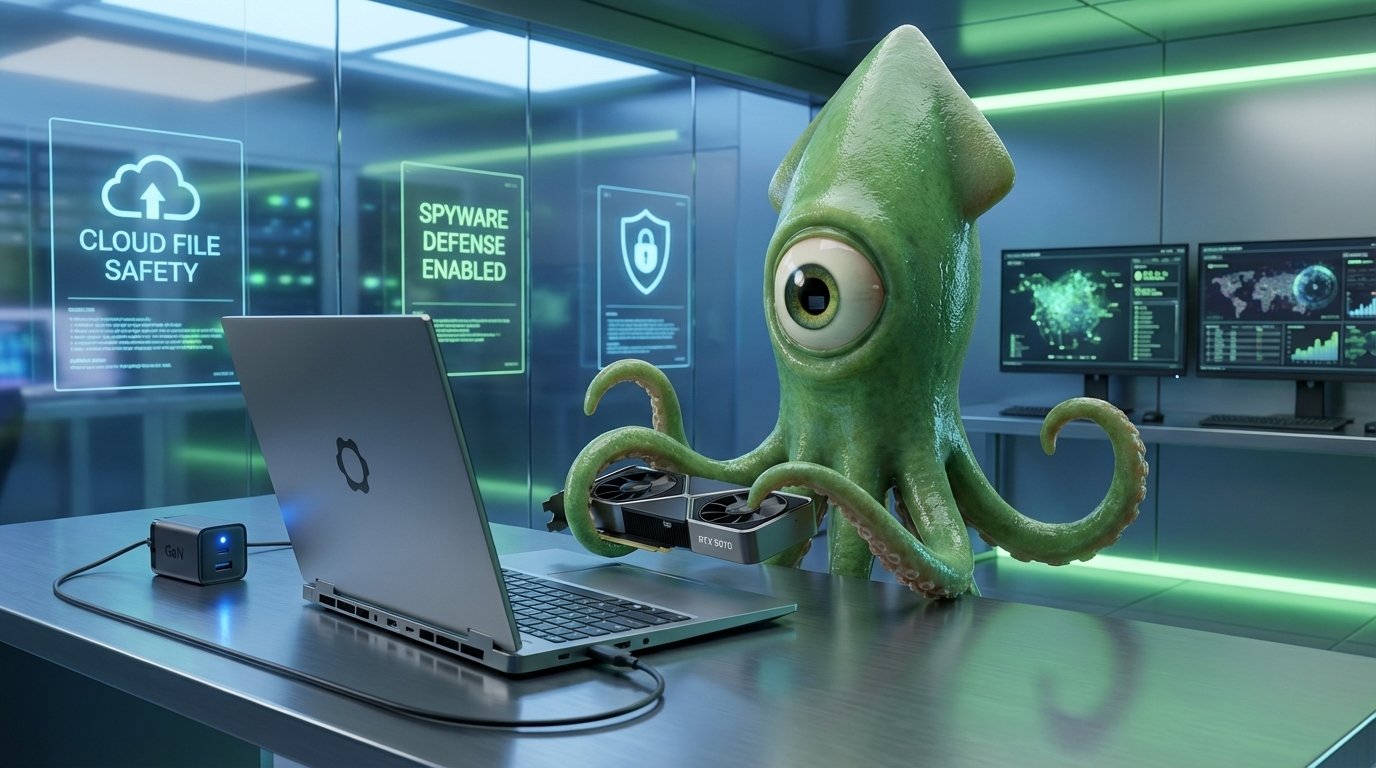
Navigating the Future of Personal Technology
In today’s fast paced digital world, the technology we use every day is constantly evolving. As a result, consumers are no longer satisfied with devices that become obsolete within a year or two. The demand for adaptable, long lasting technology and heightened digital security has never been stronger. This shift in consumer expectations is shaping the future of personal electronics. We are witnessing some of the most exciting Tech Trends: Upgradable Laptops, Mobile File Management, and Spyware Protection emerge as a direct response to these demands.
These trends represent a significant move towards greater user control and longevity. For instance, upgradable laptops challenge the throwaway culture that has dominated the industry for years, offering a sustainable alternative. Similarly, effective mobile file management gives users more power over their own data, a crucial aspect of digital autonomy. Furthermore, with sophisticated digital threats on the rise, robust spyware protection is no longer a luxury but a fundamental necessity for personal safety. This article will explore these transformative developments in detail. We will investigate the rise of modular hardware, uncover the hidden potential of your phone’s file system, and provide essential guidance on safeguarding your digital life from unseen threats. Join us as we explore how these advancements are putting more power back into the hands of the user.
The Dawn of a New Era: The Upgradable Laptop
For years, the laptop market has operated on a model of replacement, not repair. When a component failed or became outdated, users were often forced to purchase an entirely new device. This cycle contributes to electronic waste and costs consumers a great deal of money over time. However, a new trend is emerging that challenges this status quo. The concept of the upgradable laptop is gaining momentum, and leading the charge is the innovative Framework Laptop 16. This device is a prime example of sustainable and user focused engineering, built on the principles of repairability and future proofing.
Unprecedented Modularity and Customization
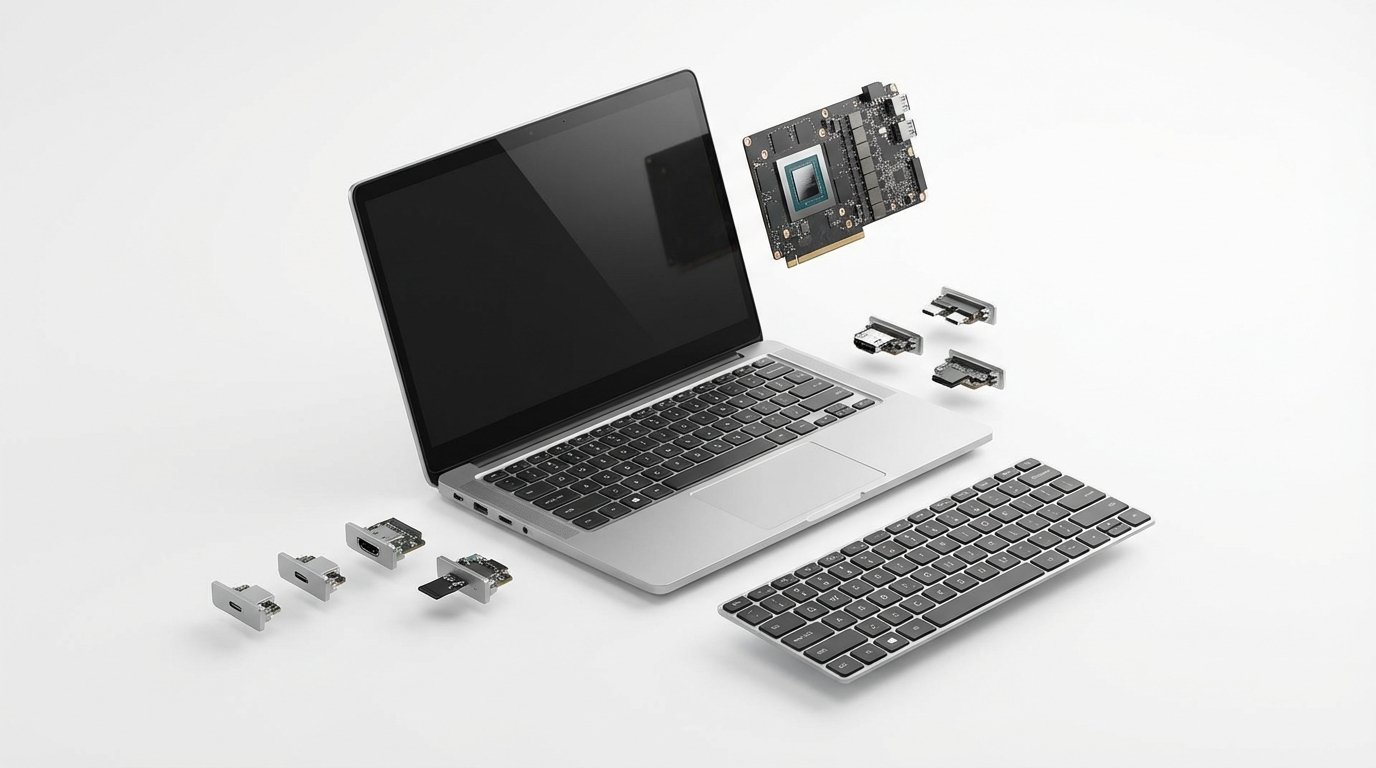
The standout feature of the Framework Laptop 16 is its remarkable modularity. At its core is the ability to upgrade major components, a task once considered impossible for laptops. For example, users can add or replace the powerful Nvidia RTX 5070 graphics module. This upgrade truly makes it a PC nerd’s dream, allowing the laptop to evolve with new technology. The customization does not stop there. The device boasts six hot swappable expansion slots, which let users choose their own ports. You can add multiple USB C ports, HDMI, or other connections as needed, tailoring the machine to your specific workflow. This level of personalization is a significant competitive advantage.
Performance Meets Practicality
Framework proves that upgradability does not mean compromising on quality. The laptop features a stunning 2560×1600 display with a smooth 165 Hz refresh rate. Its excellent color coverage makes it suitable for both creative professionals and gamers. In terms of power, the entire device can run off a modern 240 watt GaN charger via USB C. While the battery life is moderate, offering about five hours of typical work, Framework provides a clever solution. You can remove the power hungry graphics module to extend battery life on the go, showcasing the thoughtful design behind the product. The starting price is competitive at $2,449, placing it in the same league as other high end devices like the Razer Blade 16, but with the added long term value of upgradability.
Taking Control: The Power of Mobile File Management
Many smartphone users are unaware of the powerful file management tools built directly into their devices. As one expert, David Nield, points out, “You have more access to your phone’s file system than you may think.” This access is crucial for organizing your digital life, securing sensitive information, and making the most of your device’s storage. Both iOS and Android have made significant strides in this area, offering robust applications that turn your phone into a pocket sized computer for your files. Understanding how to use these tools effectively is a key part of modern digital literacy.
On Apple devices, the Files app is the central hub for all your documents. It provides a unified view of files stored locally on your iPhone, in your iCloud Drive, and across other connected cloud services like Dropbox or Google Drive. This integration allows for seamless file transfers and access from anywhere. You can learn more about its capabilities directly from Apple’s official guide at Apple’s Official Guide. For Android users, the experience is often more flexible. The Files by Google app, available at Files by Google, provides a clean interface for managing internal storage. A standout feature is the Safe folder, which allows you to store sensitive files behind a PIN or pattern lock, adding an extra layer of security.
Best Practices for Mobile File Management
Adopt these best practices for mobile file management to get the most out of your device. Following these tips will help you create a system that is organized, secure, and easy to navigate.
- Balance Local and Cloud Storage: Store essential or private documents on your device, ideally in a secure folder. Utilize cloud storage for larger files or items you need to access across multiple platforms.
- Enable Automatic Syncing: Configure cloud services to automatically back up important files like photos. This practice ensures your memories are safe and helps free up local storage.
- Prioritize Security: Take advantage of built in features like the Safe folder on Android or passcode protection in the iOS Files app for your most sensitive documents.
- Review App Permissions Regularly: Periodically check which applications have access to your files and storage. Revoke permissions for any apps you no longer use or trust to prevent potential data breaches.
A Visual Guide to Modern Spyware Defenses
Understanding the landscape of digital security can be challenging, as various tools offer different layers of protection. To clarify the options available, the table below compares key spyware protection features across several platforms and services. This comparison is designed to help you visually grasp the best security choices for your specific needs, from system wide hardening to specialized threat detection.
| Feature/Tool | Protection Type | Platforms Supported | Notable Capabilities |
|---|---|---|---|
| Lockdown Mode | System Hardening | iOS, macOS | Restricts non essential features to minimize attack vectors, blocking attachments and complex web tech. |
| Memory Integrity Enforcement | System Integrity | iOS, macOS | Provides always on memory safety to prevent common exploit techniques used by spyware. |
| Advanced Protection | Account Security | Google Accounts | Mandates physical security keys and restricts third party app access for high risk users. |
| Amnesty International | Threat Intelligence | Platform Agnostic | Publishes research on spyware campaigns and provides tools to help detect infections. |
| CISA Advisories | Government Advisory | Platform Agnostic | Issues official alerts on vulnerabilities and provides guidance to secure digital assets. |
| Malwarebytes | Anti Malware | Windows, macOS, iOS, Android | Actively scans for, detects, and removes a wide range of known malware and spyware. |
| iVerify | Anomaly Detection | iOS, Android | Monitors for signs of device compromise and provides guides to improve security settings. |
Embracing a Secure and Adaptable Future
The major tech trends of today point toward a significant shift in our relationship with technology. Through upgradable laptops like the Framework Laptop 16, we see a move towards sustainability and long term value. With advanced mobile file management on iOS and Android, users now have unprecedented control over their digital assets. Furthermore, the development of sophisticated spyware protection tools underscores the critical importance of personal security in a connected world. Together, these advancements empower users, giving them more choice, control, and safety than ever before.
For businesses, navigating this landscape requires a proactive approach to technology and security. As these trends reshape consumer expectations, companies must also adapt to remain competitive. EMP0 provides the essential tools for this transition with powerful AI driven automation. Our brand trained AI workers, along with solutions like the Content Engine and Sales Automation, help businesses streamline operations, manage digital resources securely, and drive growth. By embracing intelligent automation, you can ensure your infrastructure is not only efficient but also resilient. We encourage you to explore how EMP0 can help your business thrive in this evolving digital ecosystem. See our work at EMP0’s Projects.
Frequently Asked Questions (FAQs)
Are upgradable laptops difficult to work with for a non technical person?
Not at all. Laptops like the Framework Laptop 16 are specifically designed for easy access and upgrades. Companies provide official guides and the components are modular, meaning you can often swap them out with just a few simple tools. This makes it accessible for most users to replace parts like memory, storage, or even the graphics module.
What is the most secure way to store sensitive documents on my smartphone?
The best practice is to use the built in security features of your phone’s operating system. For Android users, the Safe folder within the Files by Google app provides a PIN protected space. On an iPhone, you can store documents within the Files app and use Face ID or a passcode to secure them. For an even higher level of security, consider encrypted cloud storage options.
How can I know if my phone has been targeted by spyware?
Detecting sophisticated spyware can be difficult. However, some common signs include unexpected battery drain, unusually high data usage, or strange behavior from your device, such as random reboots. For concerned users, security apps like iVerify can scan for anomalies, and organizations like Amnesty International occasionally release tools to check for specific threats.
Is it more expensive to buy an upgradable laptop?
Initially, the price of an upgradable laptop is often comparable to other high performance models. The Framework Laptop 16, for instance, is in a similar price bracket to the Razer Blade 16. The real savings come over time, as you can upgrade individual components instead of purchasing a new laptop every few years, making it a more economical and sustainable choice in the long run.
What is Lockdown Mode, and should I use it?
Lockdown Mode is an extreme security feature available on Apple devices. It significantly restricts your phone’s functionality to minimize potential entry points for attackers. It will block most message attachments and disable certain web technologies. While it is not necessary for most people, it is a valuable tool for journalists, activists, or anyone who believes they might be a target of a sophisticated cyberattack.