

Navigating the Human in the Loop AI Automation (HITL) and Testing Tool Landscape
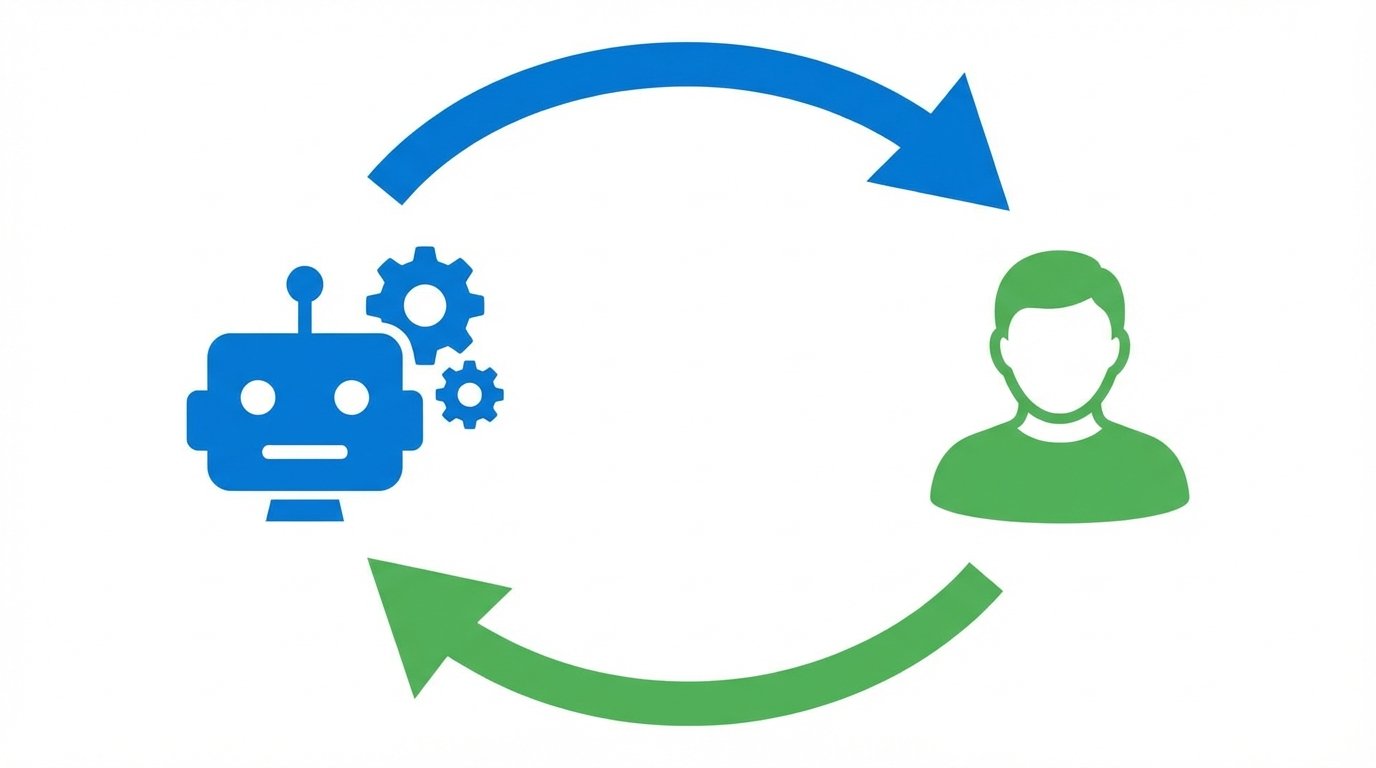
Is your AI running on full autopilot? While complete automation promises incredible efficiency, it also introduces significant risks. Because current AI models are often non deterministic, they can produce unexpected or incorrect results. This is where the Human in the Loop AI automation (HITL) and testing tool landscape becomes absolutely essential. In short, HITL is a model that keeps people in control. It integrates human checkpoints into automated processes, which allows for review, correction, and approval at critical stages. As a result, you can harness the power of AI without sacrificing safety or accuracy.
This human oversight is so crucial because AI can make mistakes, and in high stakes situations, those errors can be very costly. For example, an AI might incorrectly draft a sensitive customer email or approve a faulty transaction. Therefore, HITL acts as a vital safety net. It ensures that a person validates the AI’s output before any irreversible action is taken. This approach not only prevents errors but also builds greater trust in your automated systems.
The key benefits of implementing a Human in the Loop system include:
- Enhanced Accuracy: Humans can catch nuances and errors that AI might otherwise miss.
- Increased Safety: It prevents automated systems from making critical, irreversible mistakes.
- Improved Trust: Your teams are more likely to adopt AI tools when they know there is human oversight.
- Cost Efficiency: HITL can optimize processes by stopping faulty workflows early, which saves resources and token usage.
This article dives deep into practical HITL workflows. We will explore how to build these important safety checkpoints into your own automation. Furthermore, we will review the top tools available today that will help you implement a robust HITL strategy. Get ready to learn how to combine human intelligence with AI power for truly safe and effective automation.
Putting Theory into Practice: Real World HITL Workflows
The true value of Human in the Loop automation becomes clear when you see it in action. These workflows are not just theoretical concepts; they are practical solutions that businesses use every day to improve efficiency and reduce errors. As automation expert Adam Yong explains, “The pause is the secret.” This simple idea of pausing for human verification is the core of effective HITL implementation. By embedding checkpoints, you ensure that automation serves your goals without introducing unnecessary risk.
Exploring the Human in the Loop AI Automation (HITL) and testing tool landscape in Action
Different scenarios call for different types of human intervention. The key is to identify moments where human judgment adds the most value. As one expert notes, “I will only add human checkpoints where I know that the judgment actually brings a better outcome.” Here are a few powerful examples of HITL workflows:
- Email Reply Drafting with Review: An AI can analyze an incoming email and draft a response in seconds. However, before that email is sent, it lands in a team member’s inbox for approval. They can quickly review it for tone, accuracy, and completeness, then send it with a single click. This prevents awkward or incorrect automated responses from ever reaching your customers.
- Discord and Slack Spam Moderation: AI is excellent at flagging potential spam messages based on keywords or user behavior. In a HITL workflow, the AI automatically flags a suspicious message and sends an alert to a human moderator. The moderator then makes the final call to delete the message or ban the user, which avoids the frustration of false positives.
- Multi Checkpoint Content Creation: When creating content for a WordPress site, you can use multiple HITL steps. First, the AI generates a blog post outline for human approval. After that, it writes the full draft, which is again reviewed. This is critical because, as another expert advises, “Only irreversible points in decision making should be reviewed by humans… publishing content, updating customer records, or spending would be good.”
- Calendar Follow Up Reminders: An AI can monitor your calendar and suggest follow up emails after meetings. A HITL process would send a notification through Gmail or Telegram asking for approval before scheduling or sending anything. This ensures you remain in full control of your communications.
Case Study: NeedAnAttorney.net
A compelling use case comes from NeedAnAttorney.net, a legal service that must provide fast yet highly accurate responses. By implementing a HITL workflow, they transformed their operations. Their system uses AI to generate initial responses to legal inquiries, which are then routed to a human paralegal for verification. This ensures that every piece of advice is legally sound before it reaches the client.
The results were impressive. According to founder Anthony May, “We cut response time from hours to seconds, without losing the quality that attorneys expect.” This outcome perfectly illustrates the power of HITL. They achieved the speed of automation while retaining the critical judgment of human experts, which delivered a massive improvement in service quality and efficiency.
Top Tools in the HITL and Testing Landscape
Choosing the right tool is critical for successfully implementing Human in the Loop workflows. The best platform for you will depend on your specific needs, technical expertise, and the complexity of your processes. Some tools excel at creating the core automation and approval checkpoints, while others focus on testing and ensuring the quality of the applications involved. Below is a comparison of leading tools that play a role in the Human in the Loop AI automation (HITL) and testing tool landscape.
| Tool Name | Key Features | Integrations | Use Cases | Pricing Overview |
|---|---|---|---|---|
| n8n | Visual workflow builder, dedicated Wait node for HITL, AI Agent nodes, open source option. | 1,200+ including Slack, Gmail, Telegram, WordPress, Postgres. | Building approval workflows, content creation pipelines, spam moderation, internal process automation. | Free self hosted option; tiered paid plans for cloud hosting. |
| BugBug | Low code record and playback test automation, CI/CD integration, unlimited tests and users. | CI/CD tools (Jenkins, GitLab), Slack, project management tools. | Automated UI testing, regression testing, end to end application testing before human review. | Free tier available; paid plans based on test runs. |
| Ranorex Studio | GUI test automation with object recognition, codeless and code based test creation. | Jira, TestRail, Jenkins, Git, and other DevOps tools. | Desktop, web, and mobile application testing; enterprise level regression testing. | Quote based enterprise licensing. |
| BrowserStack | Cloud platform for live and automated testing on real browsers and mobile devices. | Selenium, Cypress, Playwright, Appium, CI/CD pipelines. | Cross browser testing, ensuring application compatibility across devices. | Tiered subscription plans; free trial available. |
| Selenium IDE | Open source browser extension for simple record and playback test automation. | Part of the broader Selenium ecosystem (WebDriver, Grid). | Prototyping tests, simple test automation, learning automation concepts. | Completely free and open source. |
| Katalon Studio | All in one test automation for web, API, mobile, and desktop; low code and scripting options. | Jira, Slack, Git, and major CI/CD tools. | End to end testing for complex applications, integrating quality assurance into DevOps. | Free version available; paid plans for advanced features. |
Best Practices and Challenges for HITL Success
Successfully implementing Human in the Loop automation requires more than just the right tools. It demands a thoughtful approach to workflow design. Because you are blending automated speed with human judgment, you must create a process that is both efficient and foolproof. Following best practices ensures your workflows run smoothly, while anticipating challenges helps you build a resilient and scalable system.
Designing Effective Workflows in the HITL and Testing Tool Landscape
To get the most out of your HITL strategy, you must be strategic about where and how you implement human checkpoints. Every review step should add significant value without creating unnecessary delays. A core principle is to place these checkpoints only at critical moments. As one expert puts it, “Only irreversible points in decision making should be reviewed by humans… publishing content, updating customer records, or spending would be good.” This prevents minor tasks from getting bogged down in reviews.
Furthermore, the design of the review step itself is very important. You should make the decision as simple as possible for the human reviewer. Vague or open ended tasks can cause confusion and slow everything down. A better approach is a clear, direct choice. An industry professional advises, “The human step should be binary: approve, correct, or re route. The more open ended it is, the more likely the step will become a bottleneck.” In addition, maintaining detailed audit logs is crucial for tracking every action and decision within the workflow, which is vital for compliance and troubleshooting. You can learn more about creating effective audit trails from government resources like NIST.
Common Challenges and How to Mitigate Them
While HITL is powerful, it is not without potential pitfalls. Anticipating these challenges allows you to design workflows that avoid them.
-
Challenge: Workflow Bottlenecks. If a human reviewer is unavailable or overloaded, the entire process can grind to a halt.
- Mitigation: Implement timeout rules. If a review is not completed within a set time, the workflow can either escalate the task to another person or exit gracefully. As one developer notes, “In case of no reply, the workflow leaves in a graceful manner or shelves the task.”
-
Challenge: Reviewer Fatigue. Asking people to review too many mundane or repetitive tasks can lead to them approving items without proper attention.
- Mitigation: Use AI for initial filtering. For example, a rough compatibility check can auto approve low risk cases, which lets humans focus only on high risk or exception scenarios.
-
Challenge: Lack of Context. A reviewer who does not have enough information cannot make an informed decision.
- Mitigation: Always provide a complete picture. One expert recommends, “I always provide the context that the reviewer needs: what has changed, why it was flagged, the effect it has, and the safe choices.” This ensures decisions are fast and accurate.
Embracing Safe and Smart Automation
The Human in the Loop AI automation (HITL) and testing tool landscape offers a powerful framework for harnessing AI’s potential safely. By embedding human checkpoints into automated workflows, businesses can significantly enhance accuracy, prevent costly errors, and build greater trust in their systems. This strategic pause for human review is not a bottleneck; it is the key to unlocking reliable and efficient automation that truly delivers on its promise.
For organizations ready to implement these powerful strategies, EMP0 provides a comprehensive suite of AI driven sales and marketing automation tools. With a focus on secure deployment and practical solutions, EMP0 helps you build robust workflows that combine intelligent automation with essential human oversight.
Explore how EMP0 can elevate your automation strategy by visiting our website at emp0.com. You can also find more insights on our blog at articles.emp0.com and follow our journey on X @Emp0_com, Medium at medium.com/@jharilela, or see our creations on n8n at n8n.io/creators/jay-emp0.
Frequently Asked Questions (FAQs)
What exactly is Human in the Loop (HITL) AI automation?
Human in the Loop AI automation is a system that combines the speed of artificial intelligence with the critical judgment of people. In this model, an automated workflow pauses at specific checkpoints, which allows a human to review, approve, or correct the AI’s work before it continues. As a result, this approach significantly improves the safety and accuracy of automated processes by adding a layer of intelligent oversight where it matters most.
Why can’t we just rely on 100% automation without human checks?
Because current AI models are powerful but not perfect, they can be non deterministic, meaning they can produce errors or unpredictable outcomes. For high stakes tasks like financial transactions or customer communications, a mistake can be very damaging. Therefore, HITL provides a necessary safety net, ensuring a human expert validates decisions before they become final and irreversible, which protects business reputation and resources.
What is the best place to add a human checkpoint in a workflow?
You should strategically place human checkpoints just before any irreversible action. For example, excellent points for review include right before publishing content to a live website, sending an invoice to a client, or updating a permanent record in a customer database. The goal is to maximize safety without creating unnecessary friction, so you should focus on points where an error would be most consequential.
What are the most common challenges when implementing HITL workflows?
The primary challenges include creating bottlenecks where workflows stall waiting for human approval and causing reviewer fatigue from too many notifications. To overcome these issues, you can implement smart design choices. For instance, using timeouts to escalate tasks and prescreening low risk items with AI can keep the process efficient. This also helps human reviewers focus their attention on what truly matters.
What types of tools are essential for the HITL and testing tool landscape?
A complete HITL setup generally requires two categories of tools. First, you need a workflow automation platform, like n8n, to build the automated process and create the human review checkpoints. Second, you need robust testing tools, such as BugBug or Selenium, to ensure the underlying applications are free of bugs and function correctly before you even begin to automate them. This combination creates a stable and reliable system.