

ChatGPT and the Responses API: Building Scalable AI Agents for Business Growth
ChatGPT has become the touchstone for modern conversational AI. It powers agent workflows and conversational automation across industries. Therefore, developers and product leaders focus on the Responses API to build resilient agents. OpenAI’s rapid model releases and enterprise push make this subject both timely and urgent.
Because ChatGPT reaches hundreds of millions of users, scale and trust matter for businesses. OpenAI now offers tools that reduce integration friction and speed deployment. As a result, teams can move from prototype to production faster than before.
This article analyzes how to design, build, and deploy AI agents with the Responses API. It covers architecture, agent orchestration, cost and latency tradeoffs, and safety controls. Also, it highlights business use cases that drive automation and measurable growth.
Read on to gain a practical, growth-focused framework. You will learn patterns, pitfalls, and testing strategies. Ultimately, this piece aims to help teams deliver reliable AI agents that drive business innovation.
How the Responses API powers ChatGPT agents
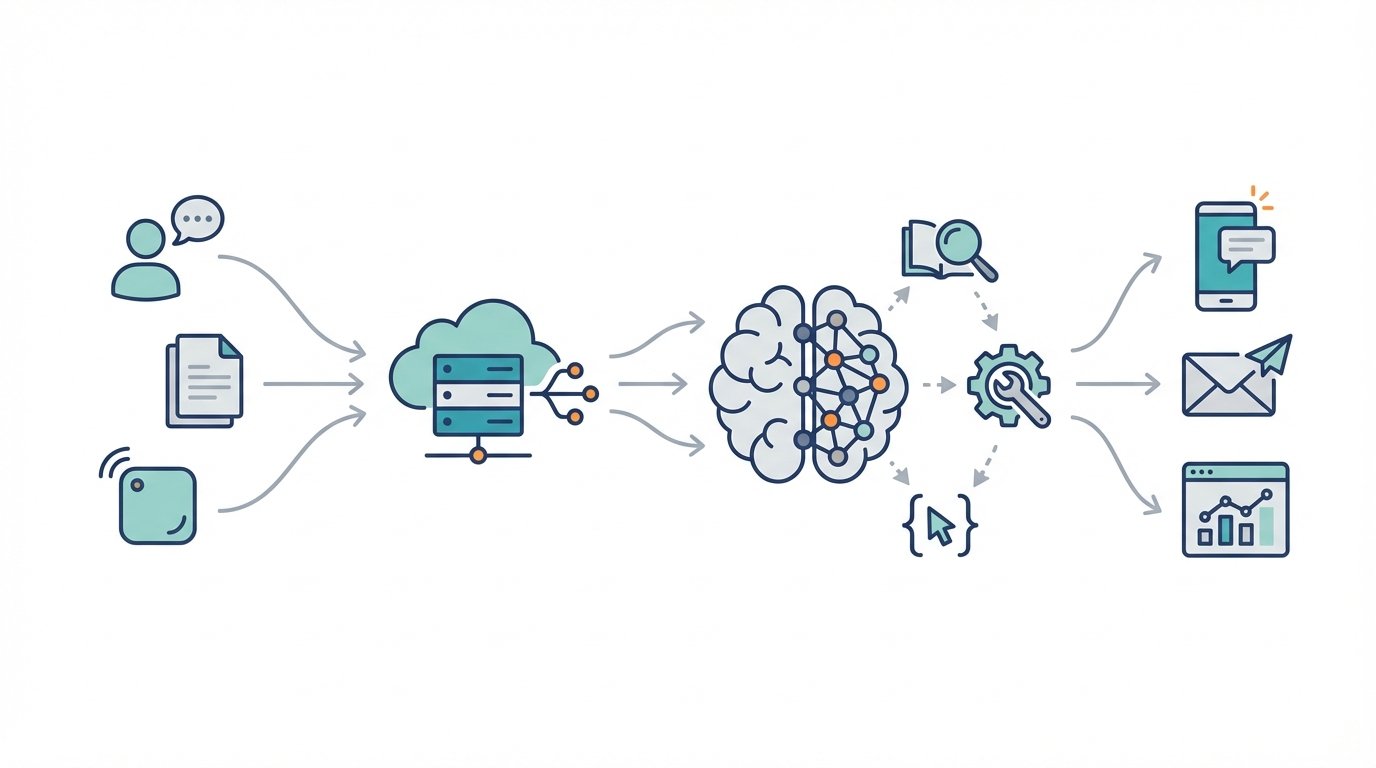
The Responses API is OpenAI’s unified interface for building conversational experiences. It unifies model calls, multimodal inputs, and agent orchestration. Developers use it to route messages, manage state, and fetch tool outputs. Because it standardizes requests, teams avoid ad hoc integrations and reduce maintenance overhead.
Integrating ChatGPT with the Responses API
Integrating ChatGPT starts with session management and prompt design. First, create a session that stores context and user history. Then call the Responses API to generate replies from ChatGPT-style models. As a result, agents can carry long conversations while obeying safety controls and rate limits.
Examples and patterns
- Customer support agent: use the Responses API to combine knowledge-base search with ChatGPT for friendly replies. For a resilience playbook, see Tech startup resilience amid market shifts and regulatory scrutiny.
- Sales assistant: call product APIs, then ask ChatGPT to synthesize personalized pitches. For adoption strategies, see How can AI as a collaborative partner boost adoption?.
- Moderation pipeline: prefilter content, then pass safe inputs to ChatGPT. For safety frameworks and realism, see AI safety and hype realism in the AI era?.
Key developer tips
- Use concise system instructions to set agent tone.
- Cache embeddings and external tool outputs for latency gains.
- Monitor costs and scale using batched requests and streaming responses.
ChatGPT and GPT-5: performance and coding
GPT-5 arrived in Instant, Thinking, and Pro forms, and GPT-5–Codex targets coding workflows. Because models now handle complex logic faster, agents complete tasks with fewer round trips. As a result, latency falls and throughput improves for high-volume workflows. Developers can embed GPT-5–Codex into agents to auto-generate code, transform data, and debug integrations. Moreover, model variants let teams trade cost for capability.
Key features
- Instant mode for quick replies and low-latency automation
- Thinking mode for multi-step reasoning and longer planning
- GPT-5–Codex for code generation and API orchestration
- Model family choices to balance cost and accuracy
ChatGPT Atlas, ChatGPT Images, and enterprise scale
ChatGPT Atlas brings browsing and context-aware tools to the agent experience. Meanwhile, ChatGPT Images and ImageGen let agents generate and edit visuals inside workflows. These capabilities expand automation beyond text, enabling richer customer experiences. OpenAI’s enterprise push and data residency options also help companies meet compliance needs. Therefore, businesses can scale automation while reducing legal and latency risks.
How businesses benefit
- Faster automation rollout because of ready-made multimodal tools
- Better personalization via higher fidelity models and images
- Lower engineering burden by using built-in browsing and tool calls
- Easier global expansion thanks to regional data residency
Overall, these updates raise agent performance, lower integration costs, and broaden automation use cases across customer support, sales, and operations.
Comparison of OpenAI models and tools
| Product | Main use case | Unique features | Ideal business applications |
|---|---|---|---|
| GPT-4o | General-purpose conversational AI for broad deployments | Optimized for multimodal inputs and lower-latency inference. Works well with legacy ChatGPT flows. | Customer support, virtual assistants, knowledge retrieval |
| GPT-5 Instant | Real-time, low-latency automation and conversational tasks | Tuned for speed. Prioritizes quick replies with acceptable accuracy. | Live chat, voice agents, transactional workflows |
| GPT-5 Thinking | Multi-step reasoning and complex decision processes | Extended context, deliberative planning, improved chain-of-thought. Suited for multi-step tasks. | Strategy workflows, research assistants, complex ticket resolution |
| GPT-5 Pro | Highest-capability model for accuracy and breadth | Maximum reasoning and multimodal understanding. Best for high-stakes outputs. | Legal summaries, medical triage support, executive briefings |
| GPT-5 Codex | Code generation and developer automation | Translates natural language to code. Offers debugging suggestions and API orchestration. | Developer tooling, CI automation, low-code platforms |
| ChatGPT Atlas | Browsing and context-aware augmentation for agents | Live web access, context retrieval, and citation-aware responses. | Up-to-date research, competitive intelligence, dynamic content generation |
| ChatGPT Images | In-chat image generation and editing | Generate and edit visuals inside conversational flows. Supports multimodal outputs. | Marketing creatives, product imagery, personalized visuals |
| Operators | Tool orchestration and safe action execution for agents | Structured tool calls, retries, safety wrappers, and observability hooks. | Production agent orchestration, B2B integrations, compliance-sensitive automations |
Conclusion
ChatGPT combined with the OpenAI Responses API gives businesses a practical platform for building reliable AI agents. These agents automate repetitive work, personalize customer interactions, and scale expertise quickly. Because the Responses API manages sessions, tools, and multimodal inputs, teams move from experiment to production faster.
OpenAI maintains a cautious, safety-first posture. It adds safeguards, parental controls, and data residency options to reduce compliance risk. Therefore, businesses can deploy agents with stronger governance and auditability. As a result, teams can balance innovation with responsible use.
EMP0 partners with organizations to design, build, and operate secure AI systems under client infrastructure. We deliver full-stack AI and automation solutions that prioritize safety, observability, and measurable revenue impact. For example, we integrate ChatGPT agents with enterprise systems, automate lead qualification, and scale support operations without exposing sensitive data.
Explore EMP0 to accelerate your AI agent roadmap. Visit EMP0 to learn more. Read practical guides at our articles. See our automation creators at n8n creators. Contact us to start a secure, revenue-focused AI project.
Frequently Asked Questions (FAQs)
What is ChatGPT and how does the Responses API relate to it?
ChatGPT is OpenAI’s conversational AI family used for chat, summarization, and assistance. The Responses API provides a unified programmatic interface to call ChatGPT models. Developers use the API to manage sessions, pass multimodal inputs, and orchestrate tool calls. As a result, teams build conversational agents that retain context, call external tools, and stream replies to users.
How do I deploy an AI agent built with ChatGPT and the Responses API?
Start with small, well scoped flows. First, define user intents and system instructions. Next, design session state and handler logic. Then integrate the Responses API to generate replies and call tools. Finally, test with real traffic and add monitoring. For production, add caching, retries, and observability to reduce latency and errors.
What safety controls should I add when deploying agents?
Require input sanitization, rate limits, and moderation prefilters. Also add role based system prompts and action whitelists. Moreover, enable logging and human review for edge cases. These steps lower risk and improve auditability. In addition, use regional data residency when regulations demand it.
Which enterprise use cases work best with ChatGPT agents?
ChatGPT agents excel at customer support, lead qualification, internal knowledge search, and developer automation. They also power personalized marketing and document summarization. Because models now support browsing and images, you can automate richer multimodal workflows.
How do businesses balance cost, latency, and capability?
Choose lighter models for low cost and speed. Use higher capability models for complex tasks and audits. Also batch requests, cache embeddings, and stream outputs to reduce perceived latency. Finally, monitor usage and tune model choices to match ROI targets.